An event, screen by screen.
These are real screens from the live platform, a trial council workspace on live national data, not mock-ups. This page walks the same path a coordination centre does: see it, task it, tell people, prove it afterwards.
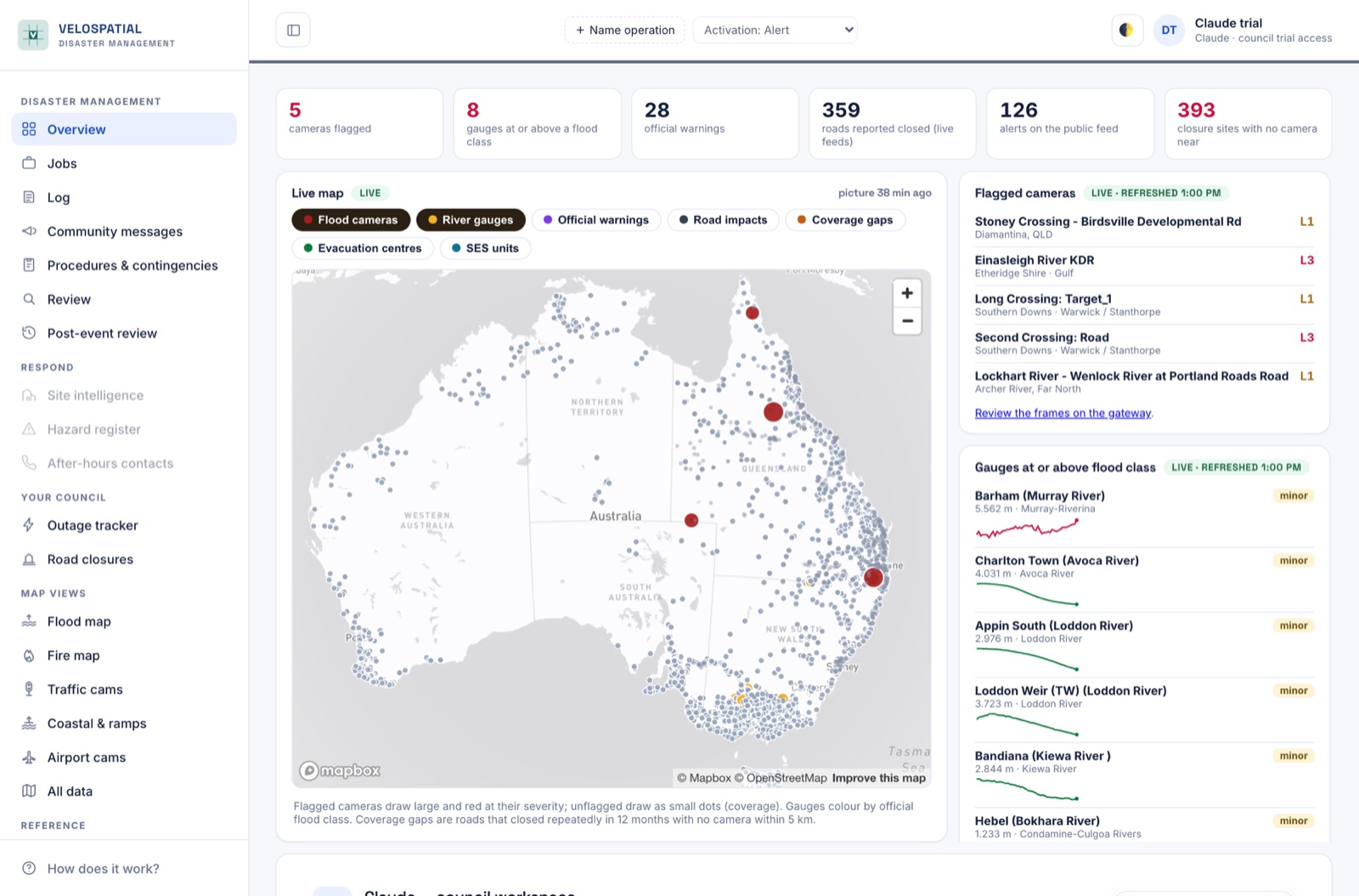
One screen that answers “what is happening right now”
The overview opens on the numbers a coordinator asks for first: cameras flagged, gauges at or above a flood class, official warnings, roads reported closed. Under them sits a live national map with the layers a centre actually uses: flood cameras, river gauges, warnings, road impacts, coverage gaps, evacuation centres and SES units. Beside it sit the flagged-camera and gauge lists with their trend lines.
Everything on the screen is stamped with when it was last refreshed. A number without its age is a guess.
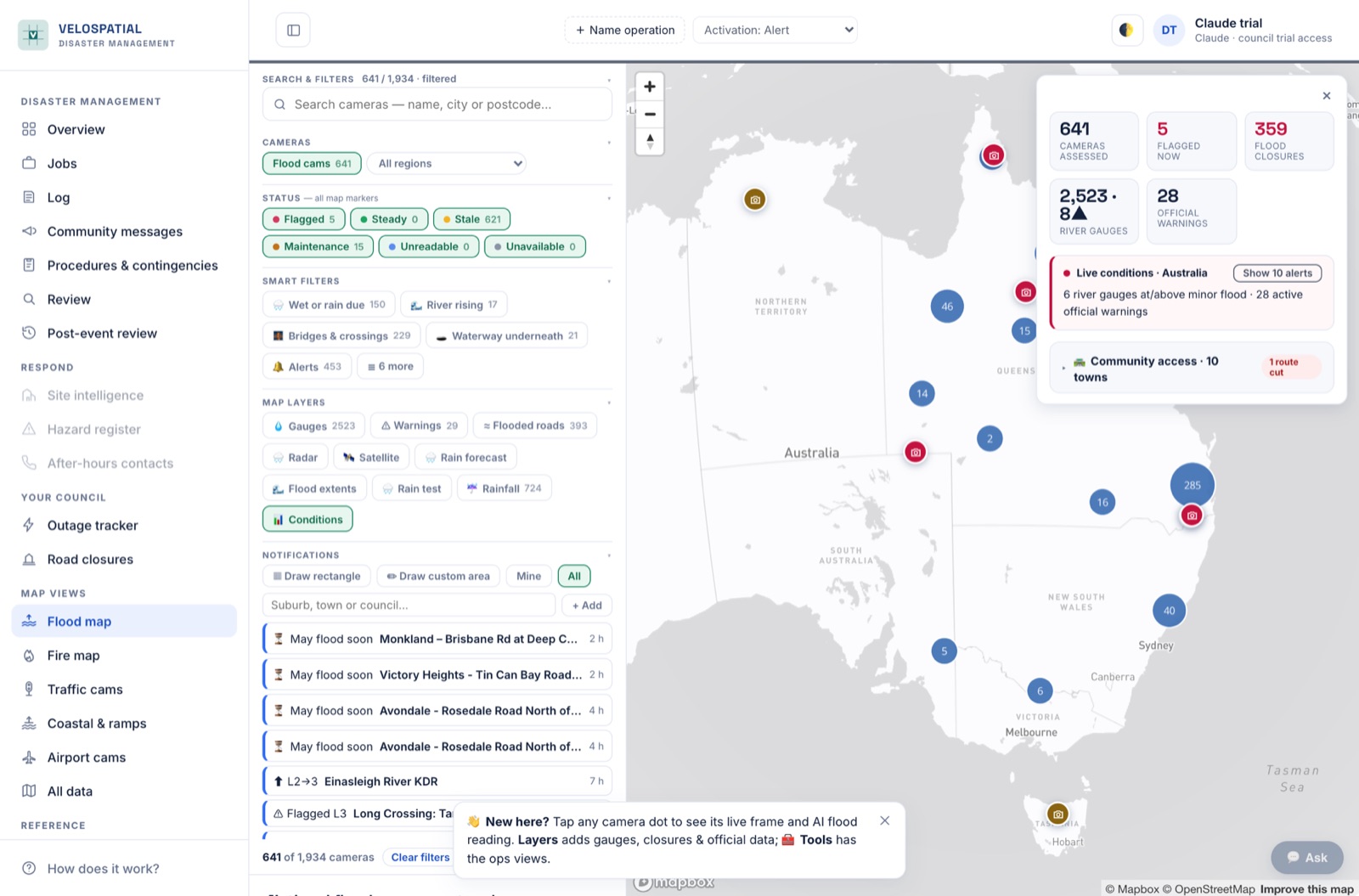
Nearly two thousand cameras, each frame graded for water on the road
The respond view is the camera network itself: search, filters and smart layers over flood cameras nationwide. The AI grades each frame on a four-level severity scale anchored to fixed objects in the picture: guideposts, kerbs, rails. Every flag it raises is checked by a second, stronger model before it publishes.
An unreadable frame is never read as clear, and a flag never stands down on a frame the model cannot read. “May flood soon” warnings fire when a nearby gauge crosses the level at which that specific crossing has actually flooded before.
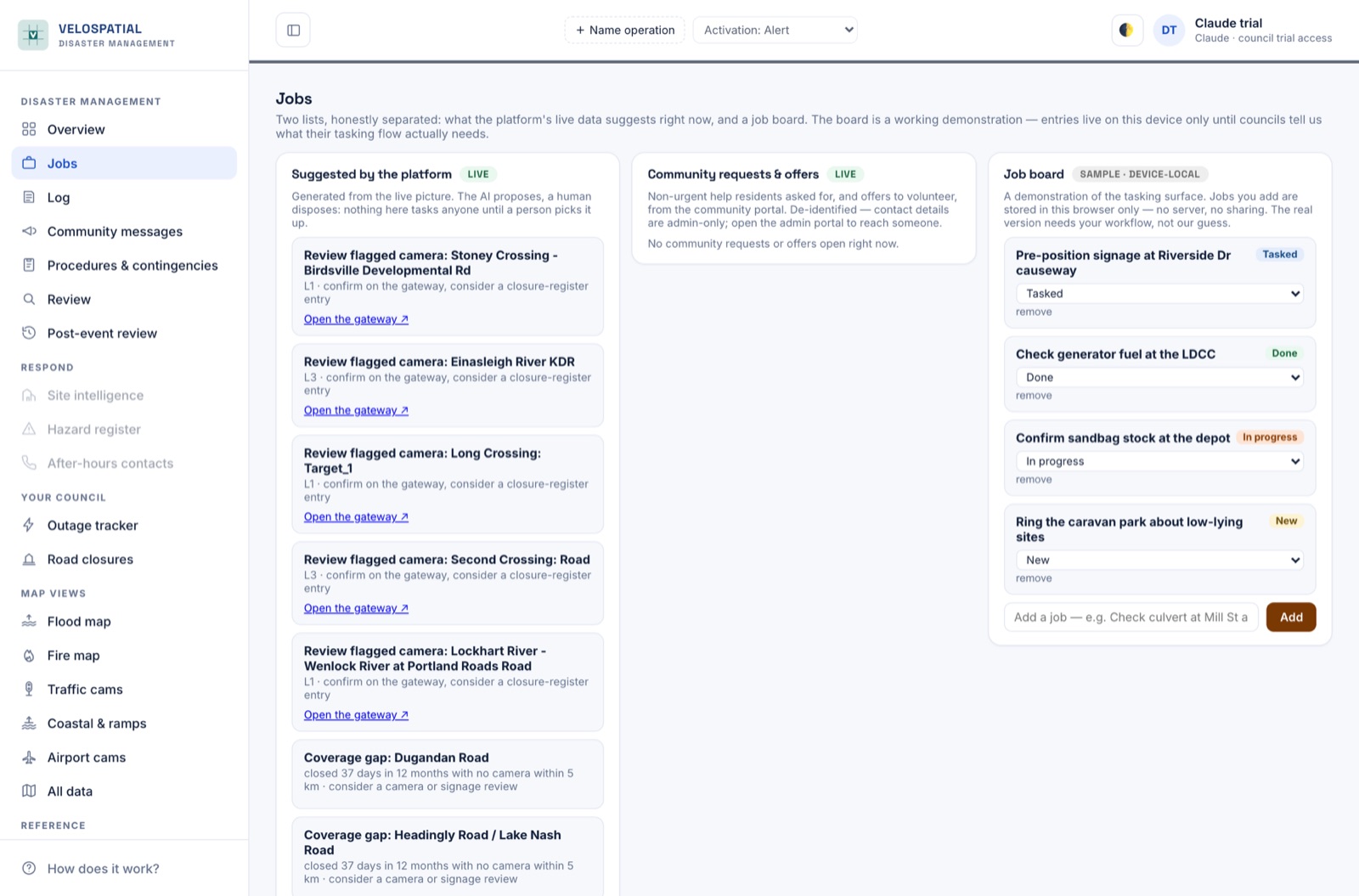
The platform proposes. Your people dispose.
The live picture generates suggestions: a flagged camera worth confirming, a repeatedly-closed road with no camera near it, a community request for help. Nothing tasks anyone until a person picks it up, and the job board is deliberately honest about what is demonstration and what is live.
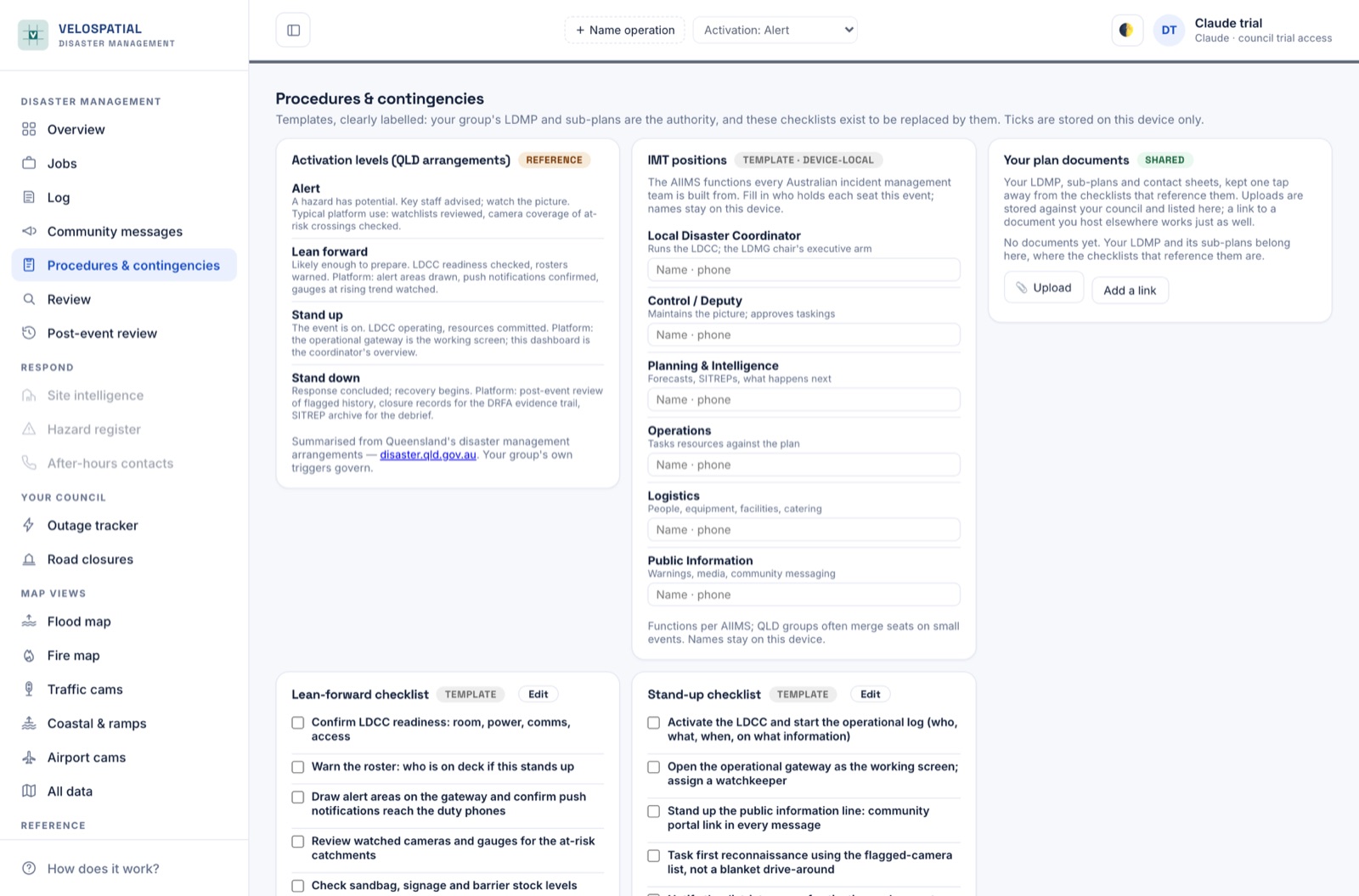
Your council's checklists, on every screen in the room
Activation checklists and contingency cards start as templates and become your council's the moment someone edits them. Ticks, edits and uploads sync across every signed-in screen (a checklist only one laptop can see is not a checklist), and an append-only activity log records who ticked what, when, on what information.
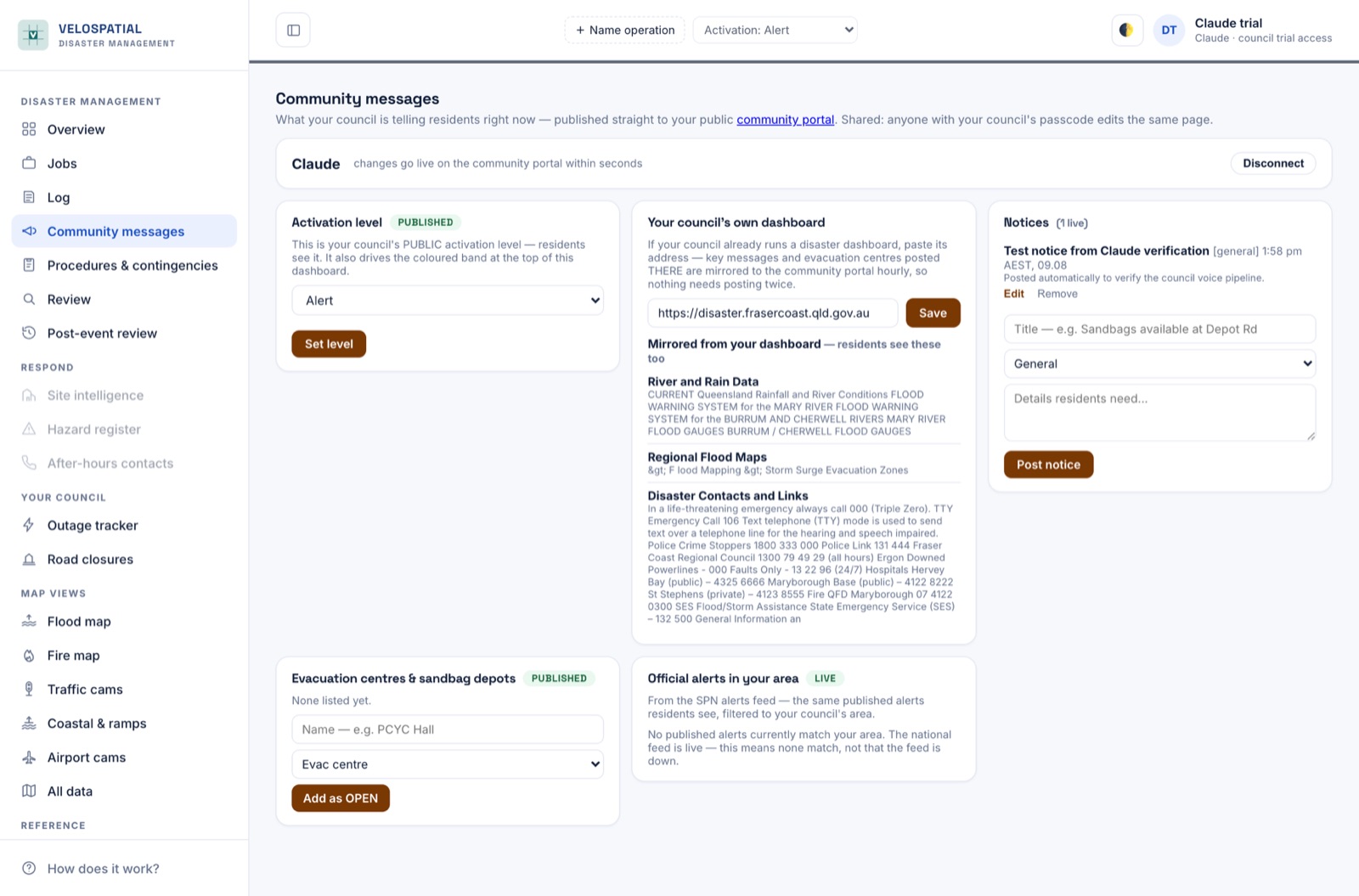
What you publish reaches residents in seconds
The coordinator sets the public activation level, posts notices, and lists evacuation centres and sandbag depots, all published straight to the public community portal. If your council already runs a disaster dashboard, paste its address and its key messages are mirrored hourly, so nothing needs posting twice.
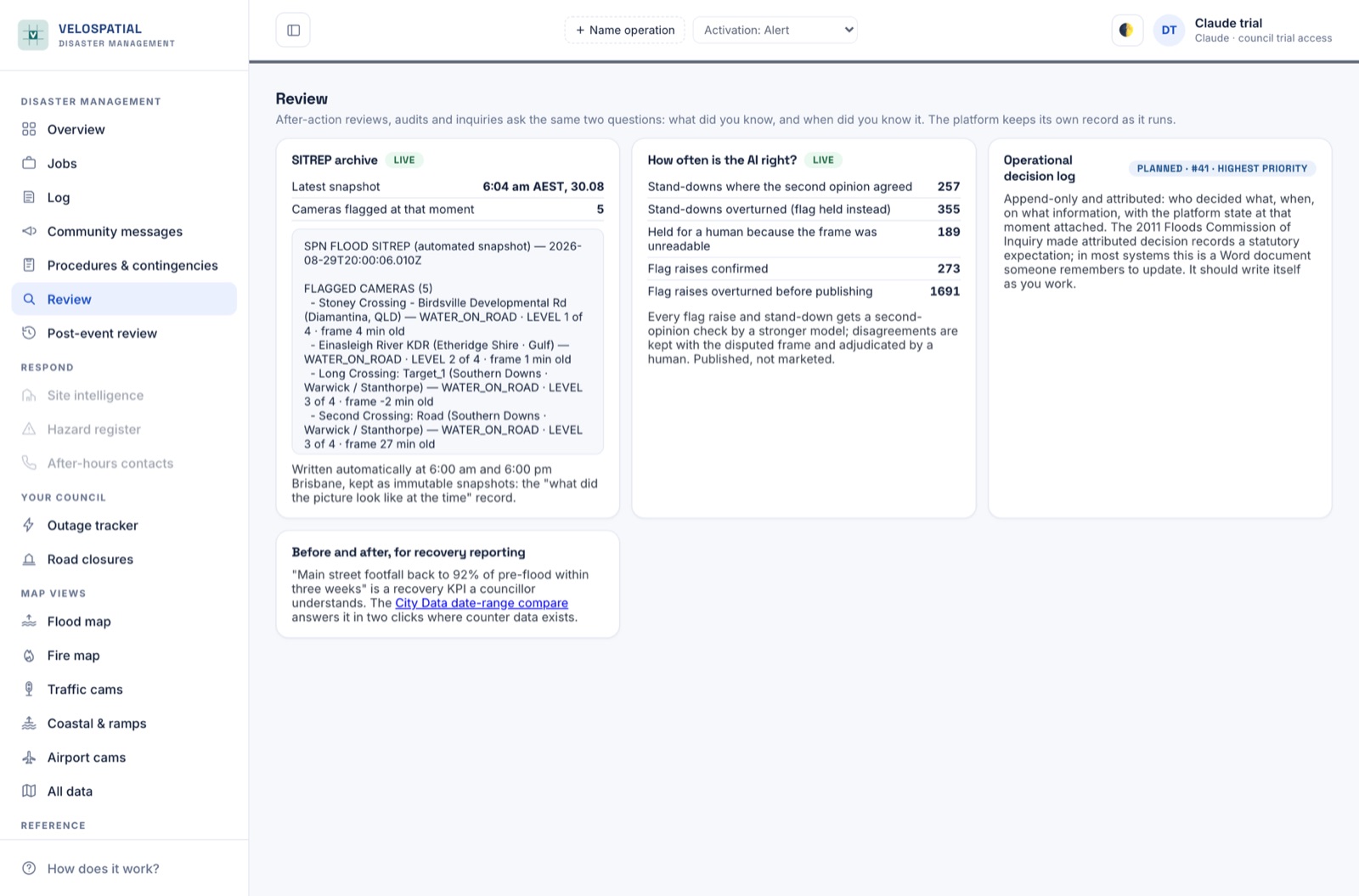
What did you know, and when did you know it
SITREP snapshots are written automatically twice a day and kept immutable: the “what did the picture look like at the time” record every after-action review asks for. The AI’s own accuracy ledger is published on the same screen: how often the second opinion agreed, how often a flag was overturned, how often a frame was held for a human. Published, not marketed.
FAQ
Where does the data come from?
Camera imagery belongs to the operators who publish it and is credited on the map. River gauges, official warnings, road closures and power outages are republished from the agencies that produce them, under their licences, in their own words, with a link back to the source. The platform adds the reading of the pictures and the joining-up; it does not invent data.
What exactly does the AI do, and how do I know it is right?
It reads camera frames and grades water on the road on a four-level severity scale. Every flag it raises is verified by a second, stronger model before publishing, and its accuracy record (agreed, overturned, held for a human) is published on the Review screen rather than kept private. Disagreements are stored with the disputed frame so a person can adjudicate them.
Will it ever tell residents a road is open?
No. An unreadable frame is never read as clear, a flag never stands down on a frame the model cannot read, and crossing guidance is advisory at every level. The platform is situational awareness for your team and your residents; official warnings from the BoM and emergency services remain the authoritative channel, and the platform shows them alongside its own reading.
Can the platform declare an activation or close a road?
No, and it never will. Declaring an activation level and closing a road are your council’s legal acts. The platform records the declarations you make and publishes them where you tell it to. Where its cameras suggest a road may be cut, that arrives as a suggestion for a person to confirm, never as a published closure.
What do we need to install?
Nothing. It runs in a browser. Your council is provisioned with accounts (Google sign-in, or email and password) and every screen in the coordination centre signs into the same shared workspace.
How is our council's workspace kept separate?
Each council has its own workspace keyed to its own credentials: watchlists, checklists, messages and settings live under your organisation and every write is validated server-side. Other councils cannot see or edit your workspace.
What does a trial involve?
A walkthrough takes about twenty minutes and runs on your own area rather than a prepared demo: your roads, your gauges, your cameras from the first minute. If you want to keep going, we provision a trial workspace for your team and stay in the loop while you use it. Book it through the form and tell us your council area.
What does it cost?
Trials cost nothing. Ongoing pricing depends on your area and what you want connected, so it is a conversation we have at the walkthrough rather than a number that would be wrong in both directions here.
See it on your own area.
Twenty minutes, your roads and your gauges from the start. No prepared demo, no obligation.